
My profile and time zone
My profile shows who ASTRO thinks you are, your role in the company you are working in, and the one setting that is yours to change: your time zone.
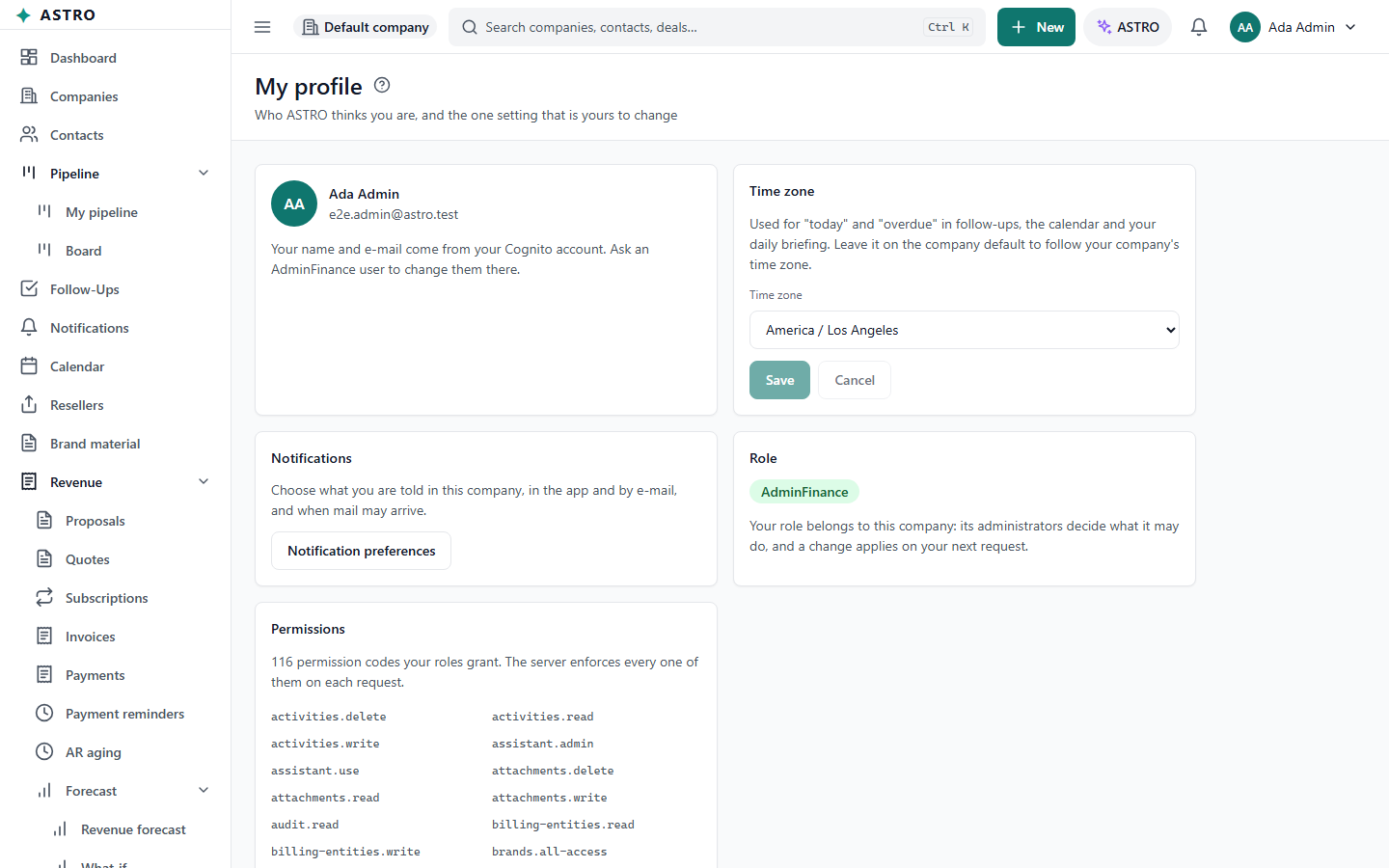
Open your profile
Open the account menu (your name at the top right) and choose My profile.
Set your time zone
Your time zone decides what "today" and "overdue" mean for your follow-ups, the calendar and your daily briefing.
- Under Time zone, choose yours. Leave it on the company default to follow your company's time zone.
- Travelling? Use this device's time zone appears when your device is set to a different one.
- Select Save.
The rest of the page
- Your name and e-mail address are set when your account is created. Ask your company's administrator to change them.
- Notifications: Notification preferences chooses what you are told and how.
- Role: your role in this company. Each company you belong to gives you its own role, and its administrators decide what the role may do.
- Permissions: the list of what your role allows, useful when you ask an administrator for access.