
Companies: find and add
Companies lists every customer, prospect and partner your company works with. Open one to see everything about it on one page.
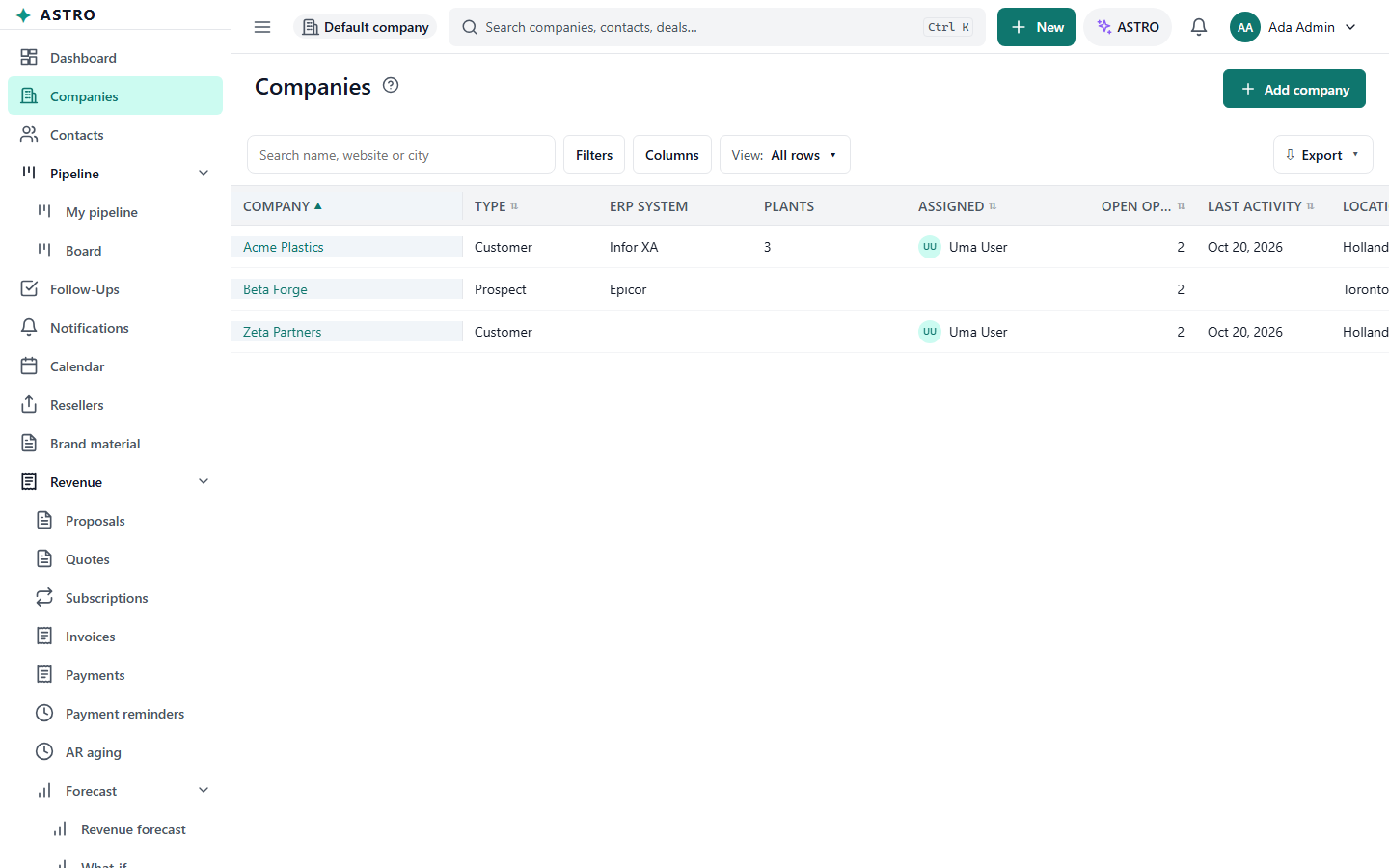
Find a company
- Open Companies in the menu.
- Type part of the name in Search, or use Filters, for example Type, Salesperson, Referred by, Country or No activity.
- Select a row to open the company.
Add a company
- Select Add company (or New > Add company from any screen).
- Fill in Name and Type. Both are required.
- Add what you know: Website, Phone and the address. Under Ownership choose the Salesperson and, if a partner sent you the customer, Referred by reseller.
- If ASTRO warns This company may already exist, read the next section before you go on.
- Select Add company.
The form may also show a Profile part with your company's own fields, a Billing part (billing country and state, used for sales tax) and Notes.
Avoid duplicates
While you type the name or website, ASTRO looks for companies that may be the same one. If it finds any:
- Open existing takes you to that company, so its history stays in one place. This is usually right.
- Create anyway (or Save anyway when editing) keeps your new company. The company's history records that you chose to.
Bring in many companies at once
If you have a spreadsheet of companies or contacts, an administrator can import it. When the list is empty and your role allows importing, the list offers Import spreadsheet.
The list's search, filters, saved views and export work as on every list.