
The dashboard
The dashboard is the first screen after you sign in. It shows how your sales are going at a glance, and every figure opens the records behind it.
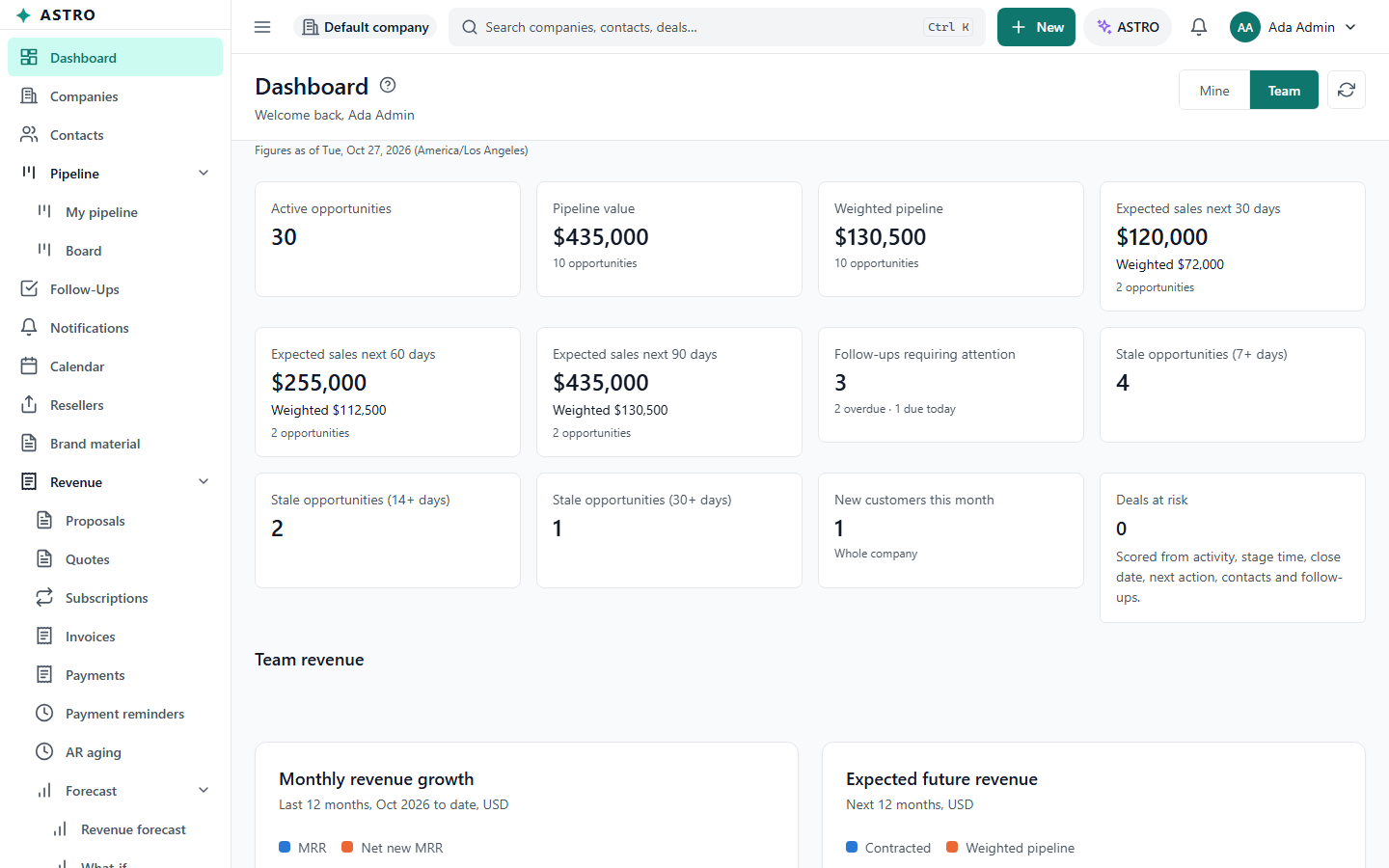
Read the tiles
- Each tile shows one figure, for example Active opportunities, Pipeline value, Expected sales next 30 days or Follow-ups requiring attention. The line under it says how many records went into it, such as "4 opportunities · 1 past due".
- Rest the pointer on a tile (or move to it with Tab) to read how the figure is worked out.
- Select a tile to open the list of the records it counts, already filtered.
- A tile marked Whole company counts everyone's records, whatever you chose under Mine or Team.
Mine or Team
If your role lets you see the team, Mine and Team at the top switch every tile, the chart and the activity feed between your own records and everyone's. ASTRO remembers your choice in this browser. On a phone the switch sits above the tiles.
The rest of the page
- Deals at risk: how many open deals look likely to slip. Select it for the list.
- My revenue or Team revenue: MRR, ARR, active and new customers, invoices outstanding and overdue, upcoming renewals and trials ending, when your role includes subscriptions. If your company shows amounts to finance only, you see the counts and the word Hidden instead of the amounts.
- Monthly revenue growth and Expected future revenue charts, when your role includes them.
- Pipeline by stage: a bar per open stage. Value and Weighted switch what the bars measure. Select a bar to open those opportunities.
- Recent activity: the latest calls, meetings and notes, yours or the team's.
Brands and refreshing
- If your company sells under more than one brand, the brand list at the top narrows the opportunity figures to one brand. Follow-ups, recent activity and revenue still cover all brands, and the page says so.
- A figure can be up to half a minute old. Select the refresh button (the circular arrow) to get the latest at once.
If the page says your role does not include the dashboard, use the menu to open the screens you can use.